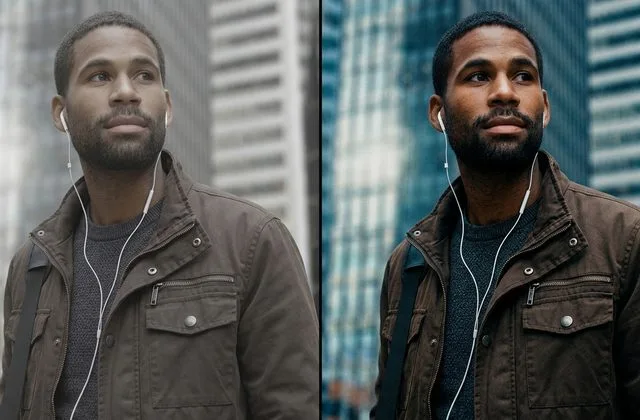

The Honest Answer Up Front
Photo editing costs anywhere from $0.25 to $150+ per image in 2026, and that 600x spread is not a typo. A basic clipping path on a plain product starts around 30 cents. A high-end beauty retouch for a fashion campaign can cost $150. The same studio, the same “per image” label — two completely different jobs. Most ecommerce brands land between $0.30 and $2.50 per image when they outsource manually. AI-only tools have crashed the floor to about $0.05–$0.10, but they still fumble hair, glass, jewelry, and reflective surfaces. The professional default in 2026 is hybrid: AI handles the easy 80% of a catalog, and human editors handle the 20% of hero images that actually drive revenue.
If you only want a number for your specific project, skip straight to the photo editing cost calculator below — it accounts for service type, complexity, volume, and rush turnaround. Otherwise, read on: we unpack every service, every tier, and every hidden fee so the next quote you receive makes sense instead of making you suspicious.
Why “Per Image” Hides Four Separate Levers
Before any numbers, understand this: a single per-image rate bundles four variables, and any one of them can move the total by 5–10x on the same job.
- Complexity — how many edges, curves, reflections, and transparent materials the editor must handle by hand.
- Volume — the total images in one order or retainer. Volume discounts are standard: roughly 10% off at 100+ images, 25% at 500+, and up to 40% at 1,000+.
- Turnaround — standard 24-hour delivery is the baseline. Same-day or 6-hour rush adds 25–100%.
- Delivery format — a flat JPEG is cheap. A layered PSD with marketplace-sized exports and WebP versions costs more.
Read every quote with those four levers in mind. A “cheap” quote that caps revisions, hides format fees, and takes five business days is not cheap once the invoices land. A thorough guide to ecommerce product photo editing will show you exactly what marketplace-ready work includes, so you can compare quotes apples to apples.
The 2026 Pricing Spectrum at a Glance
The market sorts cleanly into four tiers. Match your product and margin to the right tier — buy below your product’s tier and quality collapses; buy above it and you burn cash.
| Tier | Price per Image | What’s Included | Best For |
|---|---|---|---|
| AI-first | $0.05 – $0.10 | Automated color, exposure, background removal, culling | Weddings, sports, high-volume drafts |
| Standard offshore manual | $0.20 – $0.50 | Basic clipping path, background removal, batch color with human QC | Amazon-ready cutouts, simple products |
| E-commerce & product | $0.70 – $2.50 | Ghost mannequin, shadows, masking, color matching, retouching | Apparel, cosmetics, footwear, mid-complexity catalogs |
| Premium & boutique | $5.00 – $150+ | Editorial retouching, high-end beauty, composites, luxury jewelry, campaign heroes | Fashion editorial, luxury e-commerce, ad campaigns |
That 100x gap between Tier 1 and Tier 4 is not arbitrary. The labor in a boutique retouch is genuinely a hundred times more skilled and time-consuming than an AI batch process.
Per-Image Rates by Service (Verified 2026 Data)
Here is the section you came for. Every rate below reflects 2026 industry medians pulled from published rate cards, freelance marketplaces, and live studio pricing.
Clipping Path and Background Removal
A clipping path is a hand-drawn vector outline that cuts the subject out of its background. It is the workhorse of ecommerce — if you run Amazon or Shopify at any scale, 60–70% of your editing budget lives here. Rates scale by how many curves the editor must trace.
| Complexity | Typical Products | Price per Image |
|---|---|---|
| Basic | Boxes, phones, mugs, simple electronics | $0.25 – $0.50 |
| Simple | Sneakers, watches, headphones, bottles | $0.49 – $0.99 |
| Medium | Jewelry, bicycles, eyewear | $0.99 – $1.99 |
| Complex | Intricate chains, flying hair, lace | $2.49 – $3.99 |
| Super complex | Group jewelry, messy hair, reflective glass | $4.99 – $10.00+ |
Background removal produces a transparent PNG or a marketplace-compliant pure white background. Manual work starts at $0.25–$0.50 and rises to $2–$5 for hair, transparency, or fringe-heavy subjects. Pure AI drops as low as $0.05, but color contamination and edge fringing usually force a manual pass anyway.
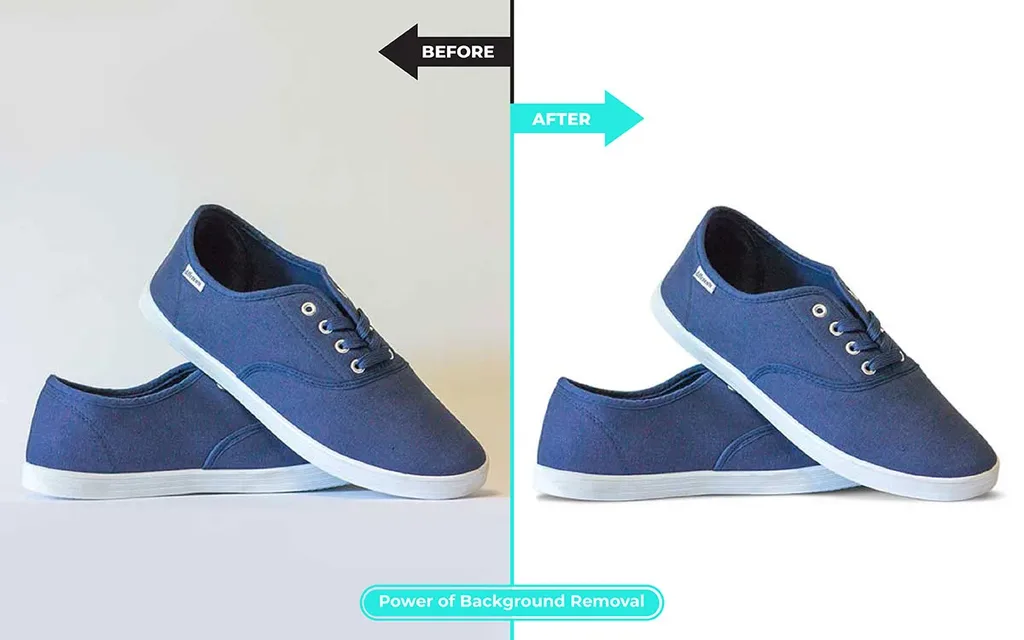
Image Masking (Hair, Fur, Glass)
Masking handles hair, fur, glass, veils, and semi-transparent subjects using alpha channels and refine-edge techniques. A clipping path cannot do this job — the edges are too soft. Expect to pay:
- Basic (soft edges, plastic bottles): $0.99 – $1.39
- Simple (feather dusters, tasseled bags): $1.39 – $1.99
- Medium (glassware, gemstones, eyewear): $1.99 – $2.49
- Complex (flying hair, pet fur, foliage): $3.99 – $4.99
- Super complex (group shots, dense bridal veils): $5.99 – $9.99
Ghost Mannequin (Neck Joint)
Ghost mannequin editing removes the mannequin from apparel shots while rebuilding the inner neckline, sleeves, or hem — something the camera never actually photographed. That reconstruction is why it costs more than a simple cutout.
- Neck joint only (t-shirts, simple shirts): $0.79 – $1.50
- Neck + sleeve joint (jackets, blazers): $1.50 – $3.00
- Full 3D composite with bottom joint: $3.00 – $8.00
- Editorial-grade boutique work: $15 – $50
This solid ghost mannequin photography guide will show you how to shoot correctly so the editing stays in the cheaper tiers — bad source photography is the number one reason ghost mannequin costs balloon.
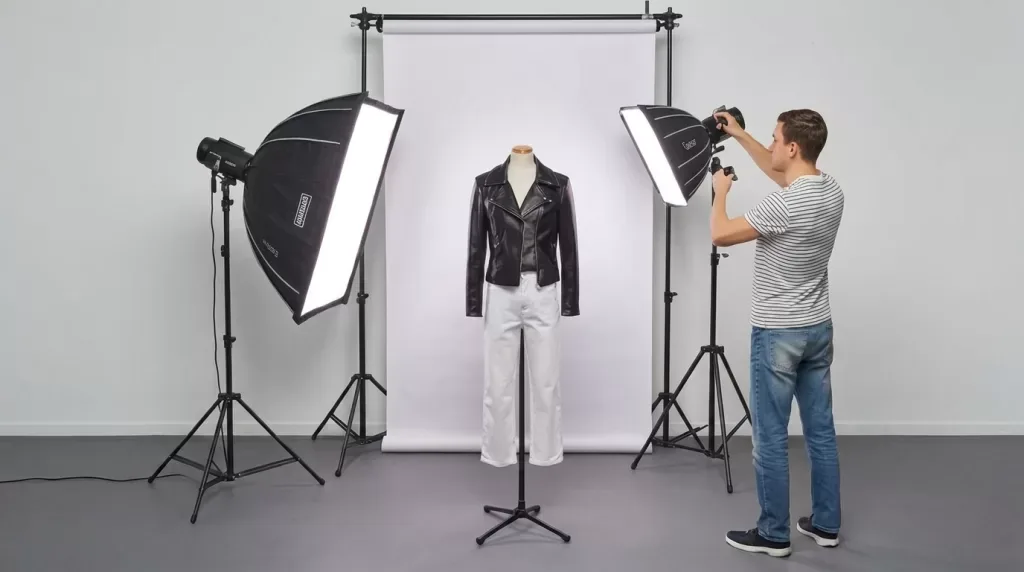
Photo Retouching and Beauty Retouching
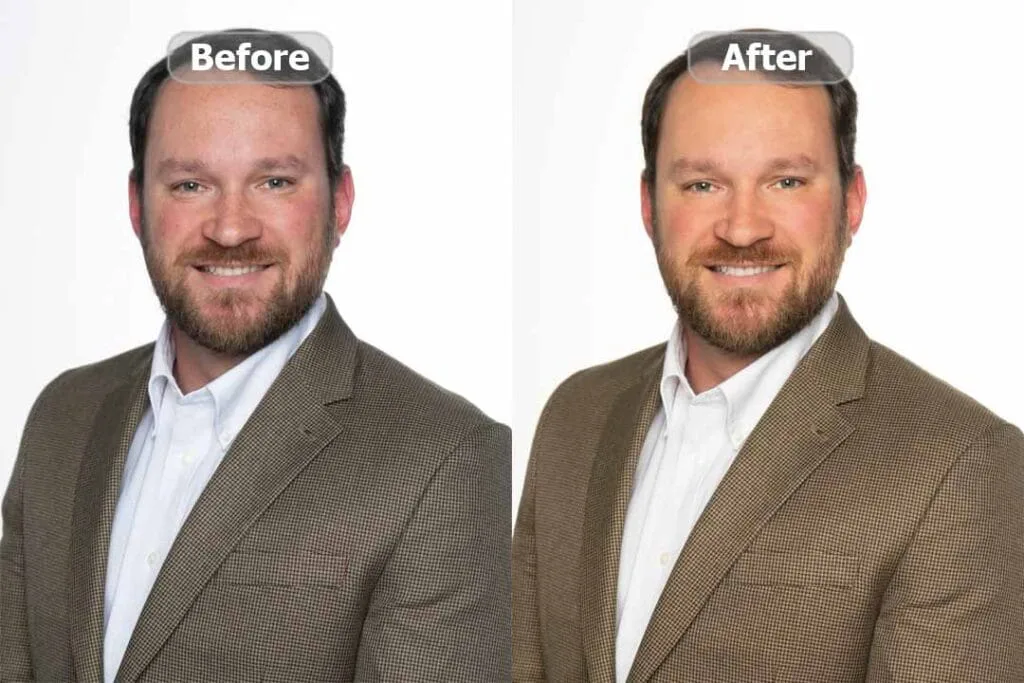
“Retouching” is the widest category of all — it spans a 30-second blemish removal to hours of frequency separation and dodge-and-burn.
- Basic retouching (blemishes, teeth whitening, minor color): $0.79 – $3.00
- Pro retouching (body shaping, wrinkle reduction, stray hair): $3.00 – $5.00
- High-end retouching (frequency separation, 3D dodge-and-burn): $5.00 – $7.00
- Advanced editing (background replacement, composites): $7.00 – $10.00
- Editorial / commercial retouching: $15 – $150+ per image
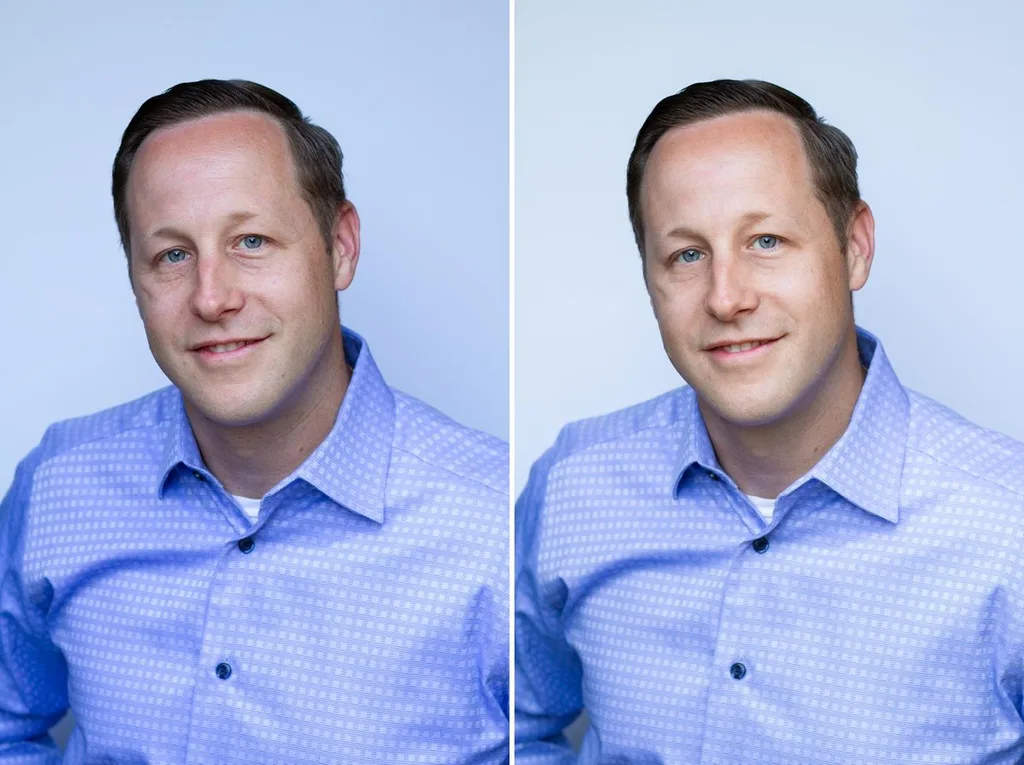
Beauty retouching starts at $1.29 for simple airbrushing and climbs to $25–$150 for high-end fashion work. The line between natural skin and the “plastic” over-processed look is a judgment call — which is exactly why AI tools consistently overshoot and blur away the texture that makes skin look real. If you want to understand what good work looks like, these portrait retouching techniques are worth studying before you approve a batch.
Jewelry and Watch Retouching
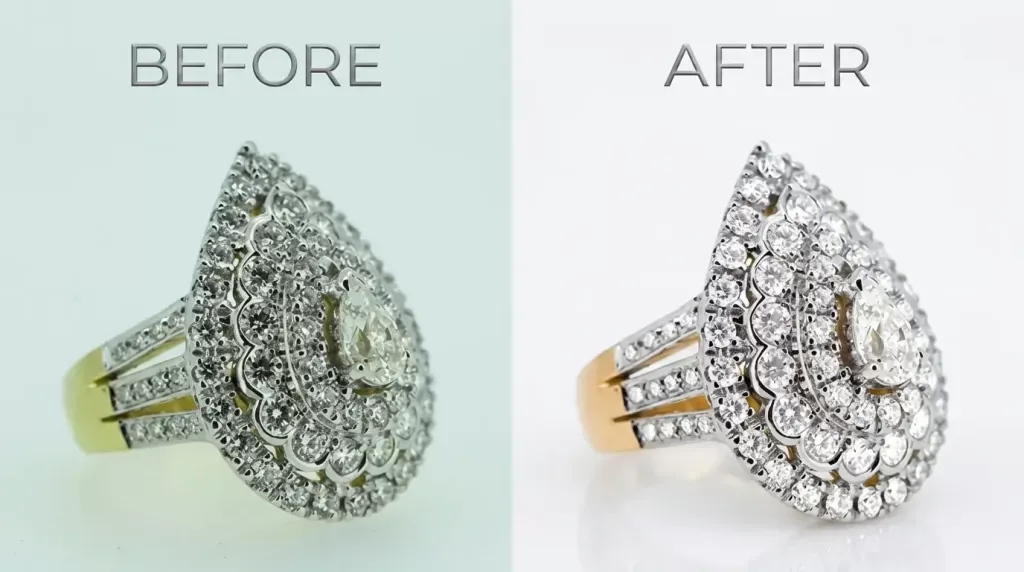
Jewelry is the most expensive standard product category because a mirror-finish band reflects the entire room — every reflection must be rebuilt to a light source that did not exist. The stone is harder still: brighten a diamond globally and it goes grey and dead. Facet contrast has to be rebuilt facet by facet.
- Standard jewelry retouching (rings, necklaces): $0.99 – $5.00
- High-end with focus stacking, symmetry correction, metal matching: $5 – $15
- Luxury editorial jewelry: $15 – $75+ per image
Detailed jewelry photo editing workflows explain why magnification-level hand work is non-negotiable here — and why AI produces dead-looking stones.
Color Correction, Shadow Creation, and Multi-Path
- Color correction / color change: $0.69 – $2.50 per image. Multi-clipping path (separate editable elements for SKU color variants): $1.19 – $9.99 depending on element count.
- Shadow creation: $0.25 – $3.00. Natural drop shadows and reflections make cutouts look real — and they measurably lift conversion.
- Real estate editing (HDR, sky replacement): $0.60 – $5.00 per image. Virtual staging: $10 – $30 per room.
- Wedding photo editing: $0.05 – $0.25 per image for AI culling and batch color, up to $1–$8 for full gallery retouching.
Freelance vs Agency vs Outsourced vs AI
Who does the work matters as much as what the work is. Here is how the four options stack up.
| Provider | Per-Image Cost | Hourly Rate | Best For |
|---|---|---|---|
| AI-only (Remove.bg, Photoroom, Imagen) | $0.05 – $0.22 | N/A | High volume, simple backgrounds, drafts |
| Offshore outsourced studio | $0.25 – $10+ | N/A (per-image) | Ecommerce volume, consistency, fast turnaround |
| Freelance editor | $0.50 – $5.00 | $25 – $150 | Small batches, creative direction, moderate retouch |
| Retouching agency / studio | $2.00 – $150+ | $100 – $250+ | High-end commercial, fashion, complex compositing |
Freelance editors in the U.S. charge a median of about $65/hour, with a range of $30–$150. Agencies bundle retouching into larger photography packages, which makes even simple tasks expensive. Outsourced studios in Bangladesh, India, the Philippines, and Vietnam charge 60–90% less for equivalent manual work — not because the skill is lower, but because labor and overhead are dramatically lower. Photoshop training is deep, workflows are highly specialized, and the best studios process 1,000+ images per day per team.
In-House vs Outsourced: The Real Math
Doing editing in-house feels controllable. The math tells a different story. A U.S.-based photo editor earns a median of about $22.10/hour per ZipRecruiter salary data, loaded to $28–$32/hour with benefits and payroll tax. Add Adobe Creative Cloud (~$20–$70/month), hardware amortization ($50–$150/month per workstation), and the fact that a standard ecommerce image takes 3–15 minutes to edit. Effective in-house cost: $0.83 – $12.25 per image. Outsourced manual editing costs $0.25 – $2.50 with zero fixed overhead. Below 50 images per month, in-house wins on control. Above 500, outsourcing is functionally the only sane option. In between, run the numbers — most brands are surprised by how lopsided it is.
AI vs Manual: The Hybrid Truth
AI editing tools have crashed the price floor, and Imagen’s own analysis of how much photo editing costs is candid about where AI wins and where it does not. AI processes 1,000 images in under 20 minutes — the same task takes a human 8–12 hours. But AI consistently fails on complex edges (lace, hair, fur, sheer fabric), reflective surfaces (jewelry, chrome, glass), and skin texture. The 2026 professional default is hybrid: AI on 80% of the catalog at $0.05–$0.15 per image, human editors on the 20% of hero shots and complex products, for a blended cost near $0.30–$0.60 per image. That is dramatically cheaper than manual-only and dramatically higher quality than AI-only.
There is also a “rework tax” to consider. If an AI tool produces an image that is 80% correct, the remaining 20% still needs a human. If your team spends 20 minutes correcting each image in a batch of 200, that is 66+ hours of manual work — more per image than outsourcing to professionals who deliver finished files the first time.
The Photo Editing Cost Calculator (Use It Now)
Use this calculator to estimate your exact cost. Pick your service, complexity, quantity, and turnaround. Volume discounts apply automatically at 100+ (10%), 500+ (25%), and 1,000+ images (40%). Rush delivery adds 25% (12-hour) or 50% (6-hour).
Photo Editing Cost Calculator
Pick a service, set your volume — your per-image rate and total update instantly.
Note: This calculator provides estimates based on 2026 industry medians. Final quotes vary by studio and exact image complexity. Always request a free test edit on your hardest images before committing.
Six Pricing Traps That Cost Real Money
Cheap quotes hide expensive mistakes. Learn to spot these before you sign.
- The “$0.10 clipping path” quote — usually pure AI marketed as manual. It fails Amazon zoom inspection at 1,000+ px, forcing a manual redo at $0.30–$0.50 each. True cost: $0.40–$0.60 per image.
- “Unlimited revisions” that aren’t — capped at 2 revisions, then $2 per additional. A batch of 500 with 3 revisions on 100 images = $200 hidden fee.
- “24-hour turnaround” that becomes 4 business days — no SLA in the contract means no enforcement.
- Undisclosed minimum order fee — a $15 minimum on a $9 job is a 66% surcharge on small tests.
- Multi-format upcharge — base quote for JPEG only; PSD delivery adds $0.20/image after signing.
- The free-trial bait — trial edited by a senior lead; production batch handed to trainees at half the quality.
Ethical studios welcome all six questions and answer them in writing before invoicing. If you are evaluating vendors, a thorough guide on how to outsource photo editing walks you through the full vendor-selection checklist.
How to Get an Accurate Quote (7-Point Framework)
Send this exact framework to any studio before signing. Studios that answer all seven clearly are worth hiring.
- What is your all-in per-image rate for my specific product type and complexity?
- Are revisions unlimited or capped? If capped, what is the per-revision fee?
- What is your standard turnaround SLA, and what surcharges apply for 12-hour, 6-hour, or same-day rush?
- What delivery formats are included in the base rate (JPEG, PSD, WebP, TIFF, marketplace-sized bundle)?
- What is your volume discount schedule?
- What are your payment terms — Net-30, 50/50 deposit, milestone billing?
- What is your data security policy — NDA, encryption, file retention, deletion after delivery?
Compare a minimum of three quotes. Request 2–3 free test edits on your hardest images, not your easiest. Every studio can cut out a shoe; send the sheer top, the chrome bottle, the black-on-black product. And require the same editor on the trial as on the production batch — that is the most common bait-and-switch.
How to Lower Costs Without Killing Quality
You have more leverage than you think. Five levers actually move the price:
- Commit to volume. A 12-month retainer at 500 images/month typically unlocks 15–25% below the public rate card.
- Batch by complexity. Sort files into basic / medium / complex buckets before quoting so you do not pay complex-tier rates for basic work.
- Offer flexible turnaround. If you can wait 48–72 hours instead of 24, most studios discount 10–20%.
- Shoot better source images. Clean lighting, consistent white balance, and gray-card references cut editing time by 30–50%.
- Use a hybrid workflow. AI for bulk color and exposure; human editors for hero images and complex products. This alone can cut your blended cost by 60%.
When Cheap Editing Actually Costs More
The rate is only the visible part of the price. Three costs sit underneath it:
- Re-editing. Work that comes back wrong is paid for twice — once to the studio, once in your own team’s time.
- Inconsistency. A single image can be judged on its own. A category page cannot. Eight colorways that do not match each other is a problem no individual image reveals.
- Returns. Color that is close but not correct is the most expensive error in apparel — nobody catches it in approval, and the customer catches it on arrival. Those “product not as described” returns carry real logistics, restocking, and support costs, plus long-term damage to store ratings.
Professional retouching enhances images; it does not fabricate them. The goal is a polished version of reality, not a different product entirely. Path’s 2026 pricing guide and Retouch Atelier’s cost breakdown both make the same point from opposite ends of the market: quality consistency is what you are actually buying.
Real-World Cost Scenarios (So You Can Benchmark)
Scenario A — Amazon FBA seller, 100 simple product images. 100 × $0.30 clipping path + $0.50 shadow = $80 base. Volume discount (100+): 10% → ~$72. Fits comfortably inside the ~$50/month image budget most FBA guides recommend.
Scenario B — Shopify apparel brand, 500 SKUs quarterly. 500 × $0.79 ghost mannequin = $395 base. Volume discount (500+): 25% → ~$296/quarter, ~$1,184/year. Compare to one U.S. in-house editor at ~$46,000/year loaded. Net savings by outsourcing: roughly $45,000/year.
Scenario C — Wedding photographer, 30 weddings/year, 2,500 images each. 75,000 × $0.05 AI baseline = $3,750/year. Or 75,000 × $0.25 traditional outsourcing = $18,750/year. The AI-first path saves ~$15,000 but requires a manual QC pass on gallery hero shots.
Frequently Asked Questions
What is the best video editing software in 2026?
For most people, DaVinci Resolve (free) is the best value — pro-grade editing, color, and audio at $0 with no watermark. For social shorts, CapCut. For Mac-only creators, Final Cut Pro ($299 once). For Adobe teams, Premiere Pro.
What do most YouTubers use to edit?
Premiere Pro and Final Cut Pro dominate among full-time YouTubers, but DaVinci Resolve is the fastest-growing because it’s free and powerful. Many short-form creators use CapCut exclusively.
Is DaVinci Resolve really free?
Yes. The free version exports up to 4K UHD at 60fps with no watermark and includes editing, color grading, audio (Fairlight), and VFX (Fusion). The $295 Studio version adds 8K, 120fps, noise reduction, and a few pro features.
Is Adobe Premiere Pro free?
No — there’s a 7-day free trial, then $22.99/month on an annual plan. That’s about $1,379 over five years.
What’s the best free video editor with no watermark?
DaVinci Resolve (desktop, pro-grade) and CapCut (social, any device) are both free with no watermark. iMovie is free on Mac. Open-source options like Kdenlive and Shotcut also have no watermark.
Premiere Pro vs Final Cut Pro: which is better?
Premiere Pro works on Windows and Mac, integrates with After Effects, and is the industry standard for teams. Final Cut Pro is Mac-only, faster on Apple Silicon, and costs $299 once vs. Premiere’s ~$1,379 over five years. Pick by platform and budget.
How much RAM do I need for 4K video editing?
16GB minimum, 32GB recommended, plus a dedicated GPU with 4GB+ VRAM and an SSD. 1080p editing runs fine on 8GB and integrated graphics.
Is CapCut good enough for professional editing?
For short-form social video, yes — it’s the fastest tool available. For long-form YouTube, weddings, films, or serious color/audio work, no — use DaVinci Resolve, Premiere Pro, or Final Cut Pro.
Final Thought: You Are Buying Consistency, Not Clicks
Photo retouching prices look like a commodity at first glance — every studio offers “clipping path” and “background removal.” The difference shows up at scale: whether your 500-image batch comes back with one consistent standard, whether the color matches across eight colorways, and whether the tenth image looks as good as the first. That is what you are actually paying for. Start with a free test edit on your hardest images, compare three studios on the same files, and let the work — not the rate card — make the decision for you.