
TL;DR: Jewelry retouching turns dull macro shots into conversion-driving ecommerce images — but over-retouching raises returns and can violate FTC rules. This guide covers 2026 pricing ($0.30–$300+/image), where AI fails, a 400%-zoom QC checklist, and Amazon/Etsy/Shopify/Google specs through 2027.
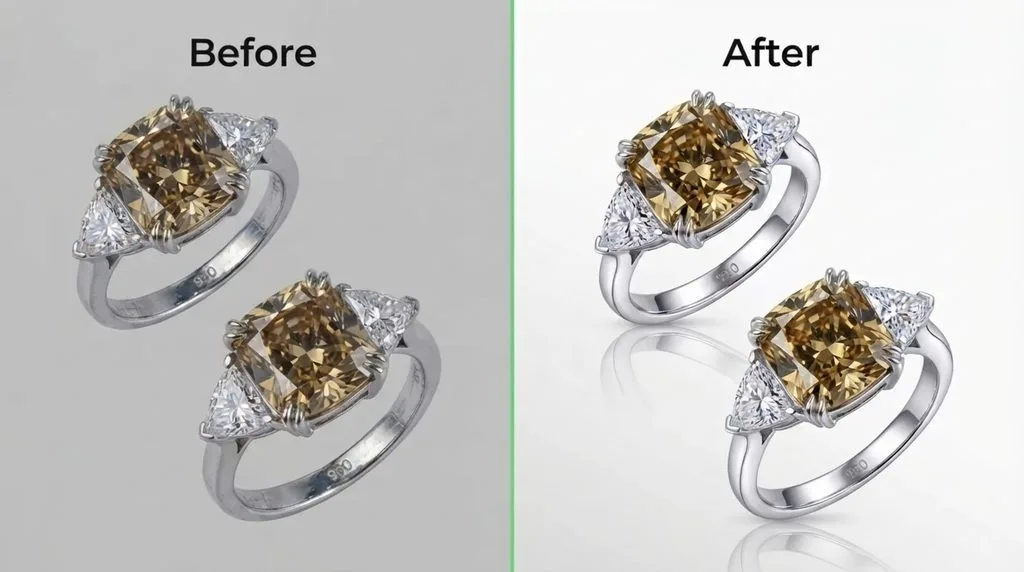
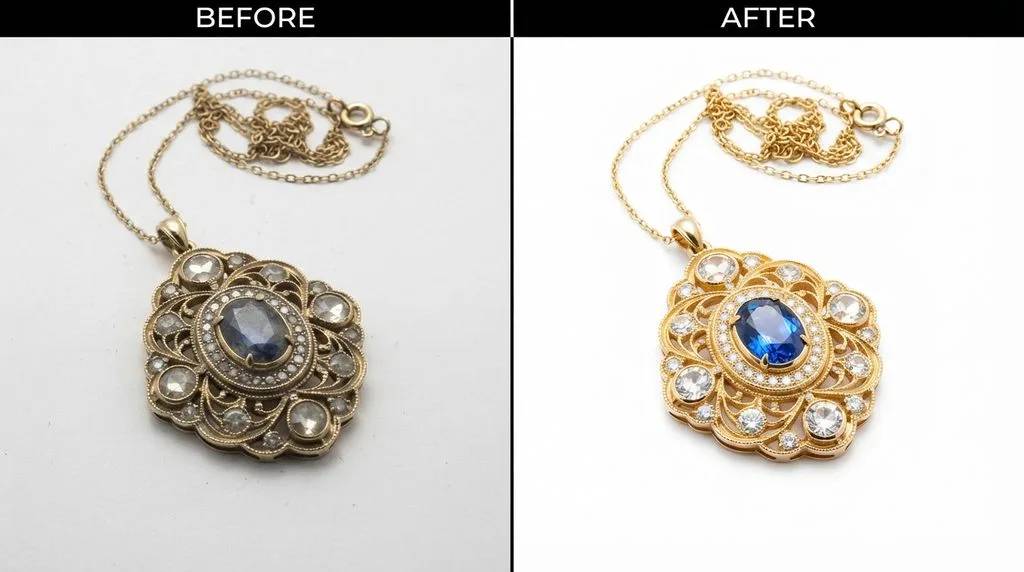
You’ve seen the split-screen before-and-afters: a flat, grey, dust-speckled ring on the left, a luminous, crisp, sellable ring on the right. That transformation is jewelry retouching — and if you sell jewelry online, it is not optional polish. It is the difference between a shopper who adds to cart and one who bounces.
But here is what most “complete guides” skip. Over-retouching is not just bad taste. It can raise your return rate, and in the United States it can run afoul of FTC jewelry disclosure rules. AI tools, meanwhile, are getting cheaper by the month — but they fail on jewelry in specific, predictable ways that nobody lists out. And almost nobody tells you how to budget per SKU, or what to check at 400% zoom before you approve a batch. This guide fixes all of that.
What Is Jewelry Retouching, Exactly?
Jewelry retouching is the post-production process of cleaning, correcting, and enhancing jewelry photographs so they accurately represent the piece while looking their best. It is a specialized subset of product photo editing, because jewelry is uniquely hard to capture well.
A dress or a mug forgives mediocre lighting. A polished gold ring does not. Every reflective surface acts like a tiny mirror, bouncing your softbox, your camera, and even your own reflection back into the shot. Diamonds and gemstones are transparent or translucent, which confuses auto-exposure. Macro shooting gives you razor-thin depth of field, so part of the piece is always soft. And the details that matter — prong shape, hallmark, a single included crystal — are smaller than a pinhead.
So professional jewelry editing combines a stack of techniques, each solving one of those problems. A clipping path isolates the piece from its background. Focus stacking merges multiple exposures so every facet is sharp. Frequency separation cleans metal without destroying its texture. Dodge & burn sculpts light and shadow. Color correction matches 14K yellow gold to 14K yellow gold across a whole catalog. Reflection control removes the studio from the metal. Shadow creation grounds the piece so it does not look like it is floating. And color variants turn one shot into yellow, white, and rose gold versions.
That is the job. Now let us talk about why it pays to get it right.
Why Your Jewelry Photos Are Your Best Salesperson
Shoppers do not read your copy first. They look at the pictures. Baymard Institute research finds that 56% of shoppers explore product images first on a product page — more than any other element. Salsify’s 2025 consumer research puts the number even higher: 77% of shoppers say high-quality images and videos are important to their purchase decision. The aggregated product image research bears this out across categories, including a Cornell finding that better images make shoes 1.17x and handbags 1.25x more likely to sell.
Jewelry sits at the expensive end of “look before you buy.” A $2,000 engagement ring is not an impulse add-to-cart. The shopper will zoom. They will squint at the pavé. They will compare the metal tone across five listings. If your main image is soft, grey, or speckled with dust, you lose that shopper to the competitor whose diamonds actually sparkle.
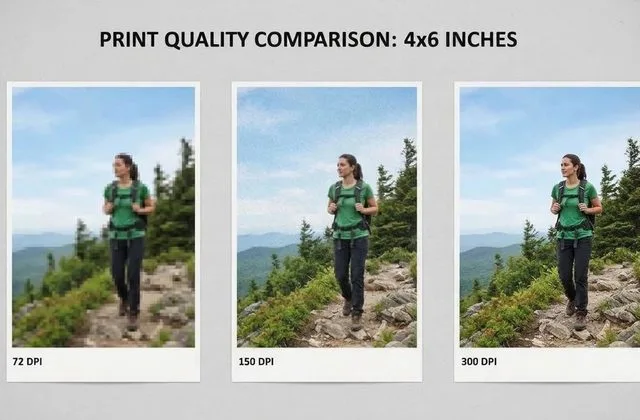
Resolution and zoom matter specifically. Baymard image UX research shows that 25% of ecommerce sites lack sufficient image resolution or zoom, and 28% lack in-scale images — both fatal for jewelry, where a 2mm pavé detail is the whole point. eBay’s own seller guidance notes that better-quality listings are roughly 4.5% more likely to sell, which on a high-AOV jewelry catalog is real money.
So the question is not whether to retouch. It is how, how much, and at what cost.
The Techniques Behind Professional Jewelry Photo Editing
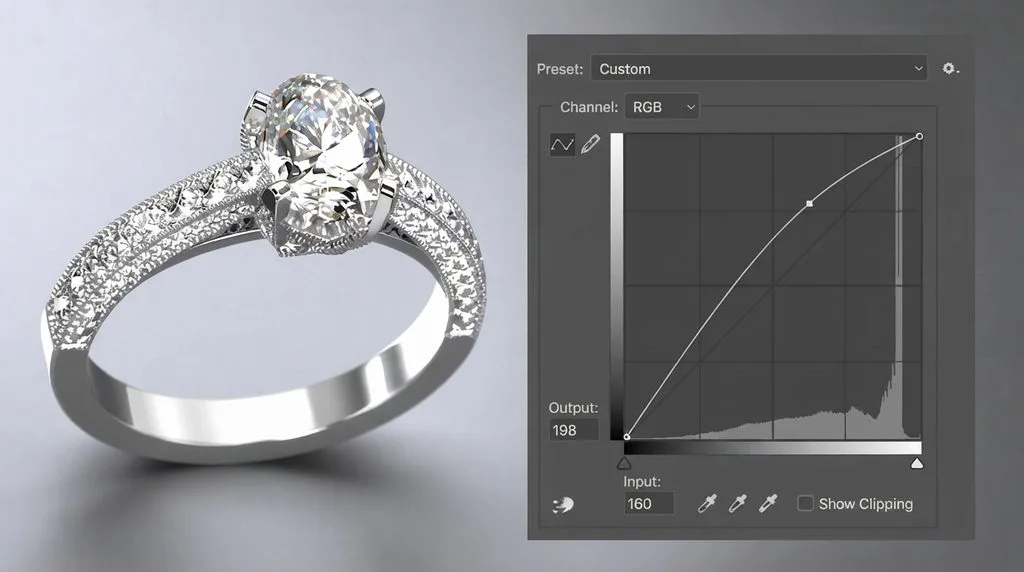
A professional retoucher works in layers, often in a PSD with ten or more layer groups. The order matters. Here is what happens, roughly in sequence.
Clipping path & background removal. A hand-drawn pen-tool path traces the piece at 0.5–1px feather, anchors 8–12px apart, for clean cutouts onto pure white (#FFFFFF), transparent, or lifestyle backdrops. AI removers fail on open chain links, prong gaps, and transparent gems; a human path is still the hero-image gold standard.
Focus stacking. Macro depth of field is only a few millimeters, so 8–20 exposures at different focus distances merge into one fully sharp image via Helicon Focus or Zerene Stacker, with a human checking seams around prongs and links. Shoot multiple tripod frames — a stack cannot be built from one photo.
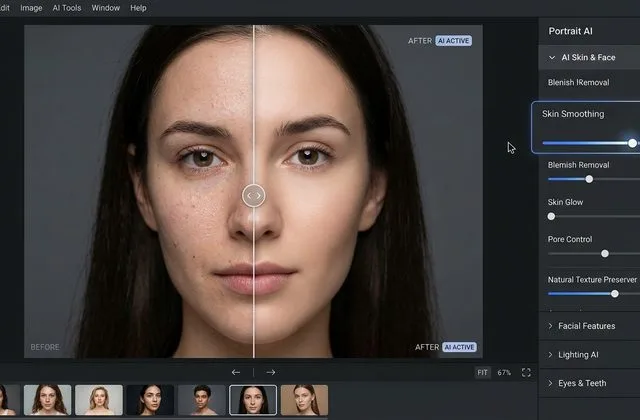
Frequency separation & metal polishing. This is what separates amateurs from pros. Frequency separation splits the image into a color/blur layer and a texture/detail layer (typically a 2–3px radius), so smudges and scratches clean off gold without erasing genuine brushed or hammered texture. Done badly, rings look plastic; done well, it is invisible.
Dodge & burn / gemstone enhancement. A 50%-grey Soft Light layer at 5–15% opacity paints light into dark facets and deepens shadows, restoring the scintillation the eye saw in the studio but the sensor missed. Inventing sparkle that was never there is where ethics get fuzzy.
Reflection control & shadows. Studio, camera, and photographer reflections are painted out and replaced with plausible gradients; a natural drop shadow or 5–10%-opacity floor reflection grounds the piece. The four shadow types — natural, drop, reflection, floating — must match, or the image screams “stock photo.”
Color variants & composites. One well-shot ring recolors into yellow, white, or rose gold (or gemstone colors) at ~$0.99 per variant. Composites build matching earrings from a single shot or remove a necklace bust (ghost mannequin effect), but demand symmetry fluency — a mirrored earring with a reversed hallmark is an instant tell.
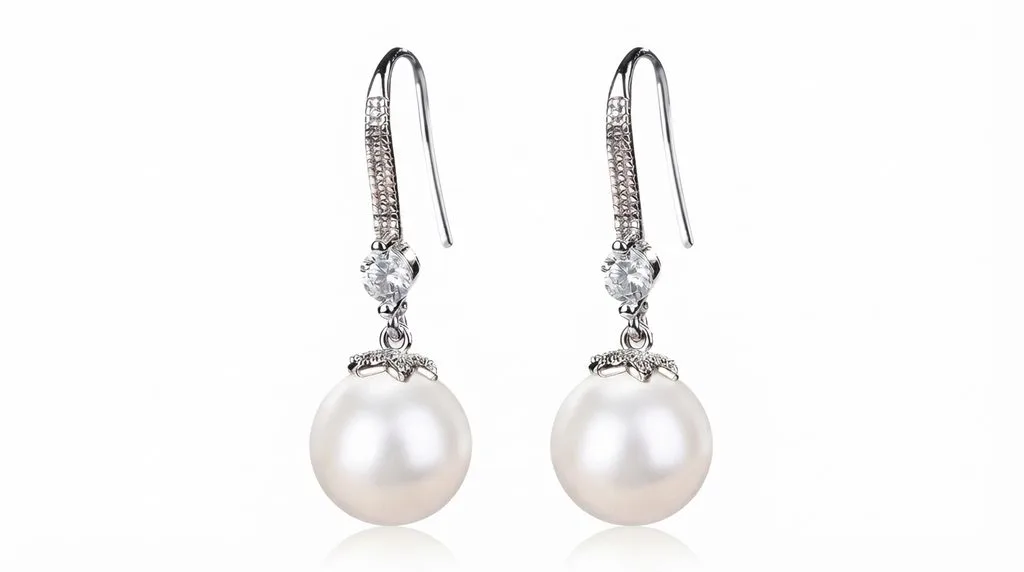
You or your photographer can shoot one pearl drop earring and composite it into a matched pair using the classic “one earring, then the pair” workflow, which cuts your shooting time in half.
How Much Does Jewelry Retouching Cost?
Pricing is where most guides get vague. Here is the actual 2026 benchmark, compiled from 18 vendors quoted on the same 20-image scope plus published rate cards.
| Service tier | Typical per-image price (2026) | What’s usually included | Usually extra | Turnaround |
|---|---|---|---|---|
| Background removal / cutout only | $0.30–$1.20 | Hand or AI cutout, white/transparent bg, basic shadow | Any retouching, color correction, multi-path | 6–24h |
| Basic retouch | $0.59–$2.50 | Dust/spot cleanup, exposure/WB, bg removal, crop/straighten | Gemstone sparkle, reflection control, focus stacking, color variants | 12–24h |
| Standard / mid retouch | $1.50–$4.99 | + metal color correction, glare removal, shadow creation, scratch cleanup | Focus stacking, pavé detail, composites, layered PSD | 24h |
| High-end / complex retouch | $3.99–$25+ (offshore); $30–$60 US freelancer; $100–$300+ top US studio | + focus stacking, per-gemstone work, reflection rebuild, dodge & burn, senior retoucher | Environment recreation, artistic lighting, print/billboard, on-model compositing | 24–72h offshore; 2–5 days US/EU |
| Metal / gemstone color variant | $0.60–$3.00 (most ~$0.99) | Recolor one shot to another metal or gem | Each additional colorway billed per variant | With main order |
| Composite (pair-from-one, ghost mannequin) | $3.99–$10+ | Multi-frame build, includes retouch + cutout | Complex scene compositing | 24–48h |
Vendor averages set the range: US/EU studios run ~$5.60/image ($3.80–$9.50) in 2–5 days; mixed-region freelancers ~$2.35; offshore teams ~$1.57 in 12–48 hours — but QC consistency matters as much as price. Budget per SKU: a jewelry listing needs five views, so 150 SKUs = 750 images. At $2.50 each that’s $1,875; a 20% bulk discount (100+ images) cuts it to $1,500. Add three metal-color variants per SKU at $0.99 (450 total) and a full catalog refresh runs ~$1,950. Volume discounts scale: 50+ ≈10%, 100+ ≈20%, 500+ ≈30%, 1000+ ≈40%. Watch gotchas: shoot your own focus-stacked source frames; RAW editing adds 10–40%, rush delivery 15–60%; expect ~$20 minimums, layered-PSD extras, and no storage past 30 days — keep your own archive.
All key figures, the per-SKU calculation, discount tiers, and every gotcha are preserved.
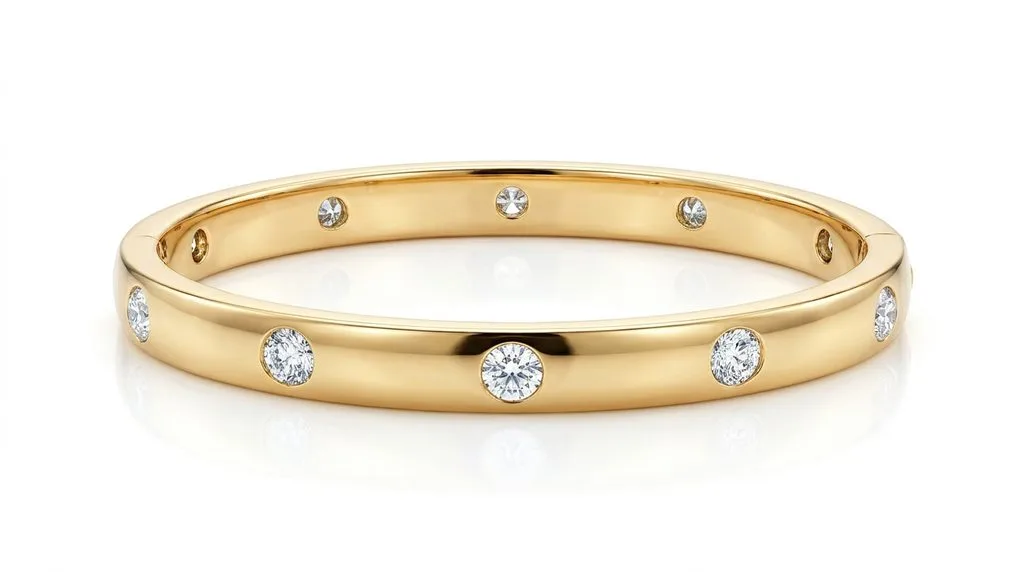
A diamond-set gold bangle like this is high-end tier work: every stone needs individual attention, and the gold channel must read as metal, not plastic.
Can AI Edit Jewelry Photos?
Yes — for some of the job. No — for the parts that matter most. Let us be specific, because “AI fails on jewelry” is true but unhelpful. Here is the actual failure taxonomy.
- Chain gaps get filled. AI sees an open chain link as a hole to patch, fusing links into a solid band.
- Transparency gets misread. A faceted gem or an open-setting gap is interpreted as background and removed.
- Prongs distort. Thin prongs are smoothed into blobs, or cloned into extra prongs that were never there.
- Sparkle clones repeat. AI-generated sparkle patterns tile identically across stones, giving an uncanny, stamped-on look.
- Design artifacts appear. Generative AI “fixes” a ring by inventing a slightly different ring — wrong prong count, wrong stone shape.
That last one is why a small but growing niche of retouchers now sells “AI artifact repair” — fixing distorted prongs and chains in Midjourney or Stable Diffusion output. The demand exists because the failures are real.
So use a hybrid workflow, decided per image type. Hero images, luxury pieces, and anything over $500 AOV: human retoucher, full stop. Secondary catalog images, bulk white-background shots, and background removal for internal use: AI-first is fine, with a human spot-check at 100% zoom before they go live. Color variants are a middle case — AI recolor is decent for metals, less reliable for gemstones, so a human QC pass is still cheap insurance. The AI jewelry retouching breakdown from practitioners is worth reading before you commit to an AI-only stack.
The decision tree is simple. Ask: will a shopper zoom into this image at 400% and compare it to the physical piece? If yes — human. If it is a thumbnail in a grid of 60 products — AI-first, human spot-check.
Is It Ethical (and Legal) to Retouch Gemstones?
This is the section almost every competitor guide skips, and it is the one that can save you from a regulatory complaint or a return avalanche.
In the United States, the FTC Jewelry Guides (16 CFR Part 23) require clear disclosure of gem treatments — heating, irradiation, fracture filling, dyeing, and the like. Misrepresenting a gem through illustrations or photographs is treated as deceptive. The GIA’s disclosure standards run parallel. Practically, that means there is a line, and it is not hard to find.
On the safe side of the line: removing dust and lint, correcting white balance, restoring sparkle the eye actually saw, matching metal color across a catalog, cleaning scratches that exist only on the photo (not the piece), and adding natural shadows.
Over the line: A retoucher digitally removes a certified inclusion, boosts the clarity grade through editing, over-saturates a sapphire from medium to royal blue, erases a treatment that requires disclosure, alters a hallmark or engraving, or composites a diamond into a setting where it does not actually sit.
The returns data makes the business case too. Online return rates hit 16.9% of retail sales — roughly $890 billion in the US in 2024 — and Salsify research cited in the return rate data finds that 71% of consumers returned items that did not match their description. For jewelry, “did not match” usually means the photo lied: the stone was more included, the metal less yellow, the sparkle dimmer. Every percent you over-retouch is a percent of revenue walking back through your returns door.
A good rule: retouch to match the piece in hand, not to exceed it. If you would not say the edited sentence out loud to a customer, do not put it in the pixel.
Marketplace Image Specs for Jewelry (2026–2027)
Every marketplace has its own rules, and jewelry has quirks other categories do not. Here is the current spec sheet.
| Platform | Size | Background | Fill / Crop | Jewelry-specific quirks |
|---|---|---|---|---|
| Amazon | 1000–2000px (zoom enabled ≥1000px) | Pure white #FFFFFF | ≥85% frame fill | Zoom is disabled for most jewelry categories and the Handmade store; real product only, no sketches — see the official Amazon jewelry style guide |
| Etsy | 2000px recommended; 10 photo slots + 1 video | Any (white common) | Square thumbnails crop | First image is your storefront; video slot performs well for sparkle — full Etsy photo requirements here |
| Shopify | 2048px recommended; 1:1 or 3:4 | Any | Theme-dependent | sRGB JPEG or WebP (WebP is 25–34% smaller); zoom quality depends on your theme |
| Google Merchant Center | Min 500×500 (effective Jan 31, 2027) | White/transparent recommended | No overlays/text | Non-apparel product images; low-resolution feeds get disapproved |
| eBay | ≥500px longest side | White/light | No text overlays | Better-quality listings are ~4.5% more likely to sell per eBay’s own guidance |
The two dates to put on your calendar: Google’s 500×500 minimum lands January 31, 2027 — if your feed is smaller, start resizing now. And Amazon’s jewelry zoom disability is not a bug you can fix with resolution; it is a category policy, so your first image must carry the sale at thumbnail size.
The Buyer’s QC Checklist: Approve at 100–400% Zoom
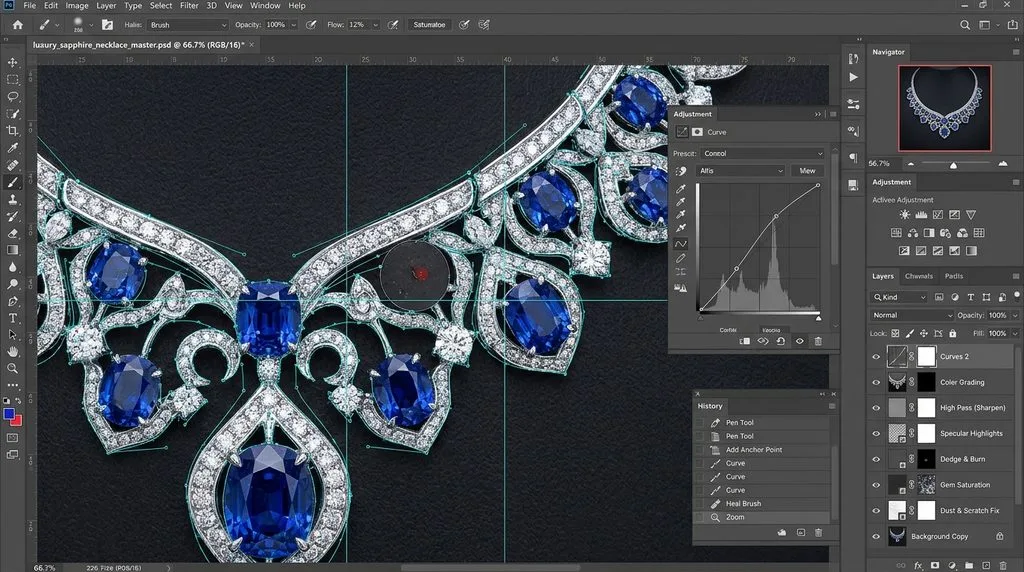
You get the batch back. It looks great at 50% zoom. Do not approve yet. Open every image at 100% and spot-check at 300–400%. Here is what to look for.
| Check | What to look for | Where it fails |
|---|---|---|
| Stone count vs reference | Count prongs and pavé stones against the physical piece | AI or rushed human adds/removes stones |
| Metal color match | Compare yellow/white/rose tone across the batch | Mixed lighting in source shows up as color drift |
| Stacking seams | Look for halos around prongs and chain links | Focus stacking misalignment |
| Open chain links | Links must read as open, not fused | AI background remover fills gaps |
| Hallmark / engraving | Must be legible and unaltered | Smoothing layers erase fine engraving |
| Certified inclusions | If the stone is certified, inclusions must remain | Over-cleaning changes clarity grade |
| Reflection naturalness | No studio/camera/camera-operator reflections | Lazy clone-stamp leaves repeating patterns |
| Shadow opacity | Floor reflection 5–10%, drop shadow soft | Too dark = floating; too sharp = cutout look |
| Edge feathering | 0.5–1px, no halo on white | Over-feathered edges glow on #FFFFFF |
| Symmetry | Earrings match; mirrored hallmarks corrected | Composite pair from one shot flips engraving |
Do this on a calibrated monitor (Eizo or BenQ are industry standard), in sRGB, in a dim room. If your monitor oversaturates reds, your rose gold will look off to everyone else.
DIY vs Outsource: The Break-Even Math
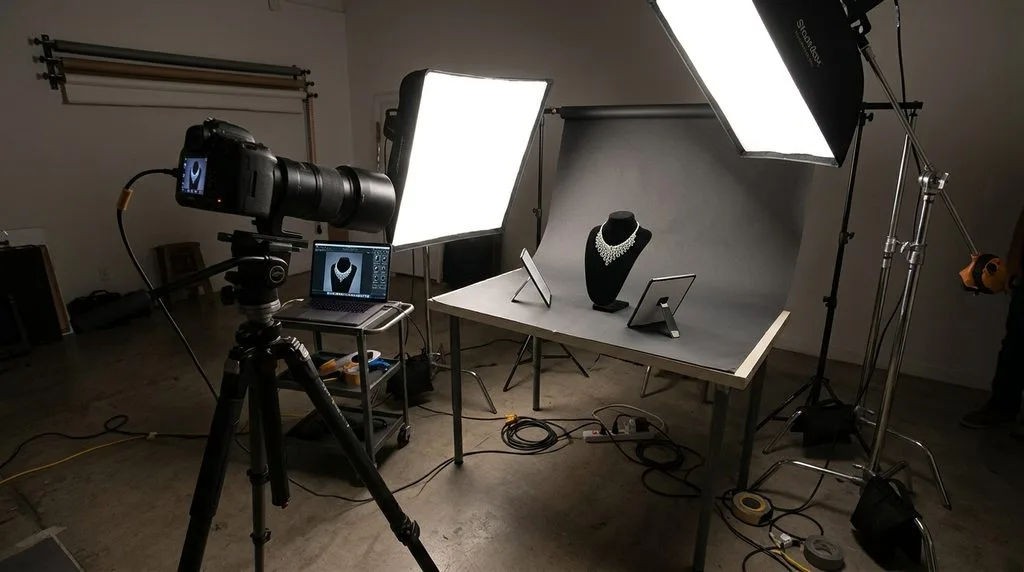
You can absolutely learn to retouch your own jewelry photos. Adobe’s official Photoshop retouching learning path will get you started, and a capable beginner can produce acceptable basic-tier work in a few weekends. The question is opportunity cost.
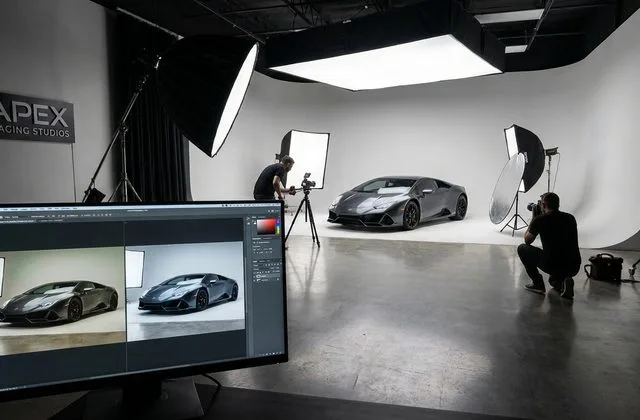
A full-time in-house retoucher runs $60,000–$95,000 in salary — over $120,000 all-in with benefits, software, hardware, and overhead. At an outsourced average of $2.50 per image, that salary buys 48,000 images a year. Most boutique brands shoot 3,000–6,000 images a year. So unless you are at enterprise catalog scale, outsourcing is dramatically cheaper, and a studio setup like the one above is better used for capture, with post-production sent out.
The hybrid that works for most brands: shoot in-house (you control the light), outsource retouching in bulk, and keep one person on staff trained to do rush edits and QC. Every reputable vendor offers a free trial of 1–3 images — use it, on your hardest piece, not your easiest one. A vendor that nails a pavé halo ring in 24 hours is a vendor worth keeping.
Frequently Asked Questions
What is jewelry photo retouching, and how is it different from normal product editing?
Jewelry retouching is specialized post-production for reflective, transparent, macro-scale pieces. Unlike ordinary product editing, it routinely requires focus stacking, frequency separation, per-gemstone dodge & burn, and hand-drawn clipping paths around prongs and chain links. A generic product editor will produce plastic-looking metal and soft diamonds.
How much does professional jewelry retouching cost per image?
In 2026, basic cutout starts at $0.30–$1.20, standard retouch runs $1.50–$4.99, and high-end complex work is $3.99–$25+ offshore or $30–$300+ in the US. Color variants are about $0.99 each. Most vendors discount 10–40% at volume (50/100/500/1000 images).
Why do AI background removers fail on jewelry?
They fail in predictable ways: open chain links get filled in, transparent gems are read as background, thin prongs distort or multiply, and sparkle patterns clone identically. AI is fine for bulk thumbnails, but hero jewelry images still need a human path and QC.
What is focus stacking, and do I really need it?
Focus stacking merges 8–20 exposures shot at different focus distances into one fully sharp image. At macro distances, depth of field is so shallow that no single exposure captures both the table and the prongs in focus. You need it for hero and macro-detail shots; you can skip it for small thumbnails. It must be shot on a tripod — it cannot be created from one photo.
Is it ethical to retouch diamonds and gemstones?
Cleaning dust, correcting color, and restoring captured sparkle are fine. Digitally removing a certified inclusion, faking a higher clarity grade, over-saturating gem color, or altering a hallmark crosses into misrepresentation — and under FTC 16 CFR Part 23, gemstone treatments must be disclosed. Retouch to match the piece in hand, not to exceed it.
What file format and color profile should I export?
Deliver in sRGB JPEG for web (PNG if you need transparency), at 2000px on the long edge for most marketplaces. WebP is 25–34% smaller and widely supported. Avoid Adobe RGB uploads — most browsers and marketplaces will render them dull. Keep layered PSDs as your working archive.
Should I retouch my own photos or outsource?
Learn enough to do QC and rush edits, but outsource the bulk unless you shoot more than ~40,000 images a year. An in-house retoucher costs $120,000+ all-in; at $2.50 per image outsourced, that is 48,000 images. Most brands are well below that break-even.
What should I check before approving a retouched batch?
Open every image at 100% and spot-check at 300–400%: stone and prong count vs the physical piece, metal color consistency, focus-stacking seams, open chain links, legible hallmarks, certified inclusions preserved, natural reflections, shadow opacity, edge feathering, and earring symmetry. Approve on a calibrated monitor.